
Warning: Astra_Ext_Nav_Menu_Loader::load_gutenberg_addon_scripts(): The script tried to access a property on an incomplete object. Please ensure that the class definition "WPML_LS_Menu_Item" of the object you are trying to operate on was loaded _before_ unserialize() gets called or provide an autoloader to load the class definition in /home/liinovtion/domains/latitudeinnovation.com.my/public_html/wp-content/plugins/astra-addon/addons/nav-menu/classes/class-astra-ext-nav-menu-loader.php on line 164

Warning: Astra_Ext_Nav_Menu_Loader::load_gutenberg_addon_scripts(): The script tried to access a property on an incomplete object. Please ensure that the class definition "WPML_LS_Menu_Item" of the object you are trying to operate on was loaded _before_ unserialize() gets called or provide an autoloader to load the class definition in /home/liinovtion/domains/latitudeinnovation.com.my/public_html/wp-content/plugins/astra-addon/addons/nav-menu/classes/class-astra-ext-nav-menu-loader.php on line 164

Warning: Astra_Ext_Nav_Menu_Loader::load_scripts(): The script tried to access a property on an incomplete object. Please ensure that the class definition "WPML_LS_Menu_Item" of the object you are trying to operate on was loaded _before_ unserialize() gets called or provide an autoloader to load the class definition in /home/liinovtion/domains/latitudeinnovation.com.my/public_html/wp-content/plugins/astra-addon/addons/nav-menu/classes/class-astra-ext-nav-menu-loader.php on line 134

Warning: Astra_Ext_Nav_Menu_Loader::load_scripts(): The script tried to access a property on an incomplete object. Please ensure that the class definition "WPML_LS_Menu_Item" of the object you are trying to operate on was loaded _before_ unserialize() gets called or provide an autoloader to load the class definition in /home/liinovtion/domains/latitudeinnovation.com.my/public_html/wp-content/plugins/astra-addon/addons/nav-menu/classes/class-astra-ext-nav-menu-loader.php on line 134
Real Use Case: Team Building Training Booking System Built With BookingPress + WooCommerce | Latitude Innovation

Real Use Case: Team Building Training Booking System Built with BookingPress + WooCommerce

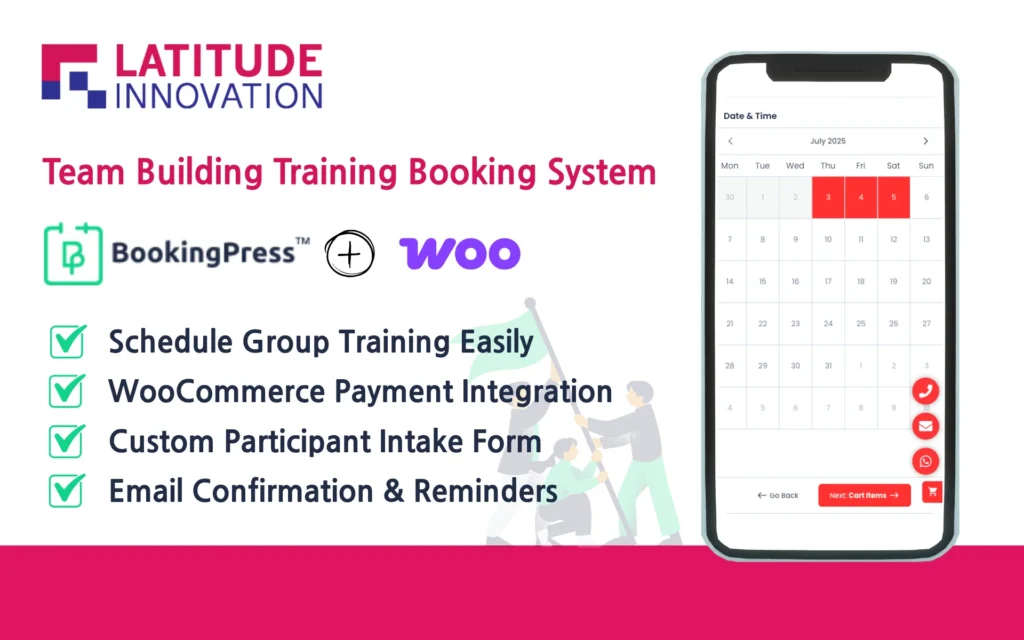
Organizing team building sessions — from managing participant numbers to handling service options and payments — can get complicated fast. Our website simplifies this entire process using the BookingPress plugin together with WooCommerce integration, creating a seamless, automated system ideal for corporate team-building providers.

Business Need

Our team building company needed a flexible and reliable system that could:

  • Offer multiple training programs (e.g., 5D4N, 4D3N, 2D1N)
  • Support booking for groups with specific capacity control
  • Provide optional add-ons (e.g., flight luggage, water sports)
  • Accept either deposit or full payments
  • Automate booking email notifications
  • Allow manual approval of each booking
  • Match booking form design to the website
  • Customize invoices sent after payment
  • Integrate securely with WooCommerce for payments

Key Features Implemented

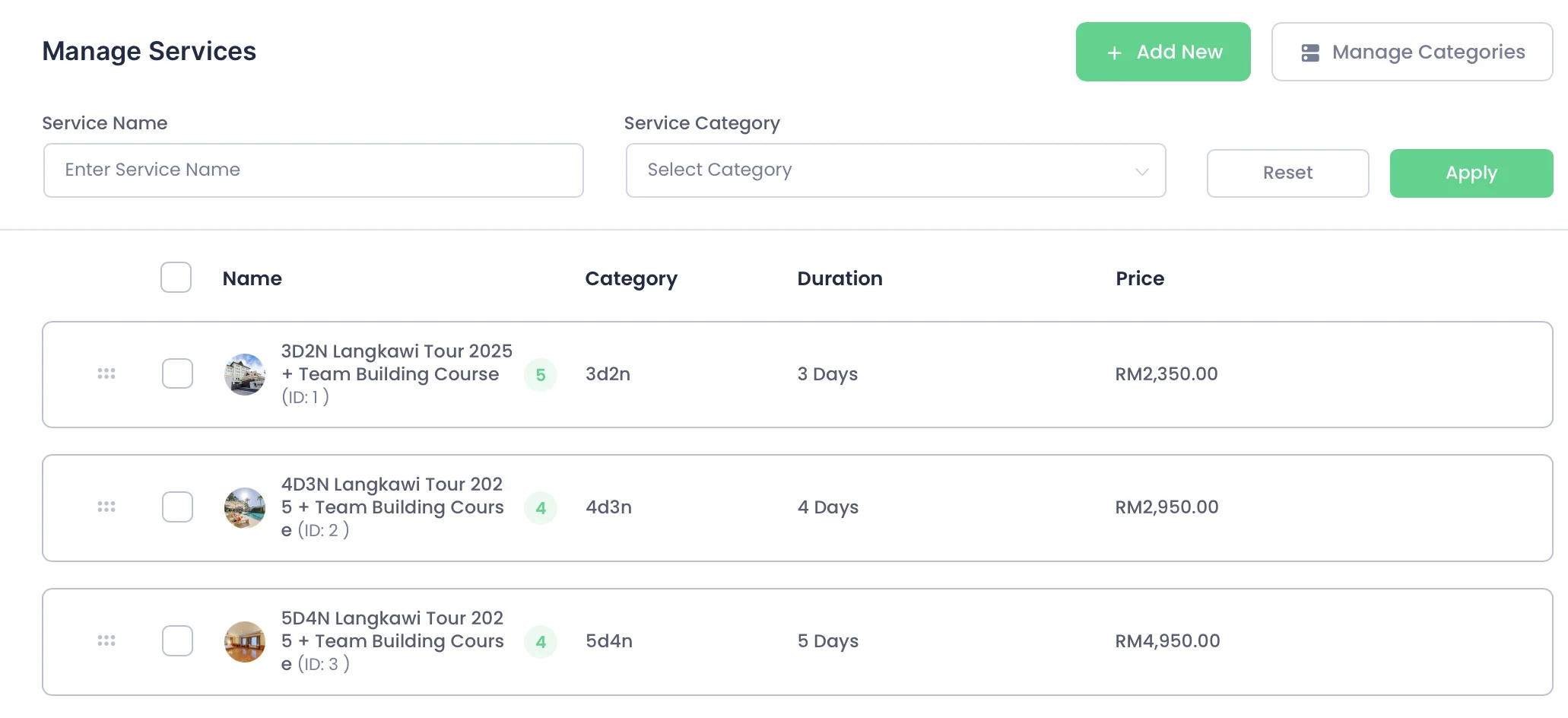
1. Different Service Types (Programs)

We created multiple team building program options, each with its own:

  • Title (e.g., "5D4N, 4D3N, 3D2N")
  • Description
  • Pricing structure

Each service is treated individually in BookingPress, allowing for clear organization and easier booking logic.

2. Custom Duration Per Service

Each training session can last from a single day to several days, and we configured custom durations for each program:

  • Example: "5D4N" = 5 days
  • Example: "2D1N" = 2 days

This ensures that available time slots reflect the actual time commitment.
3. Specific Capacity Control

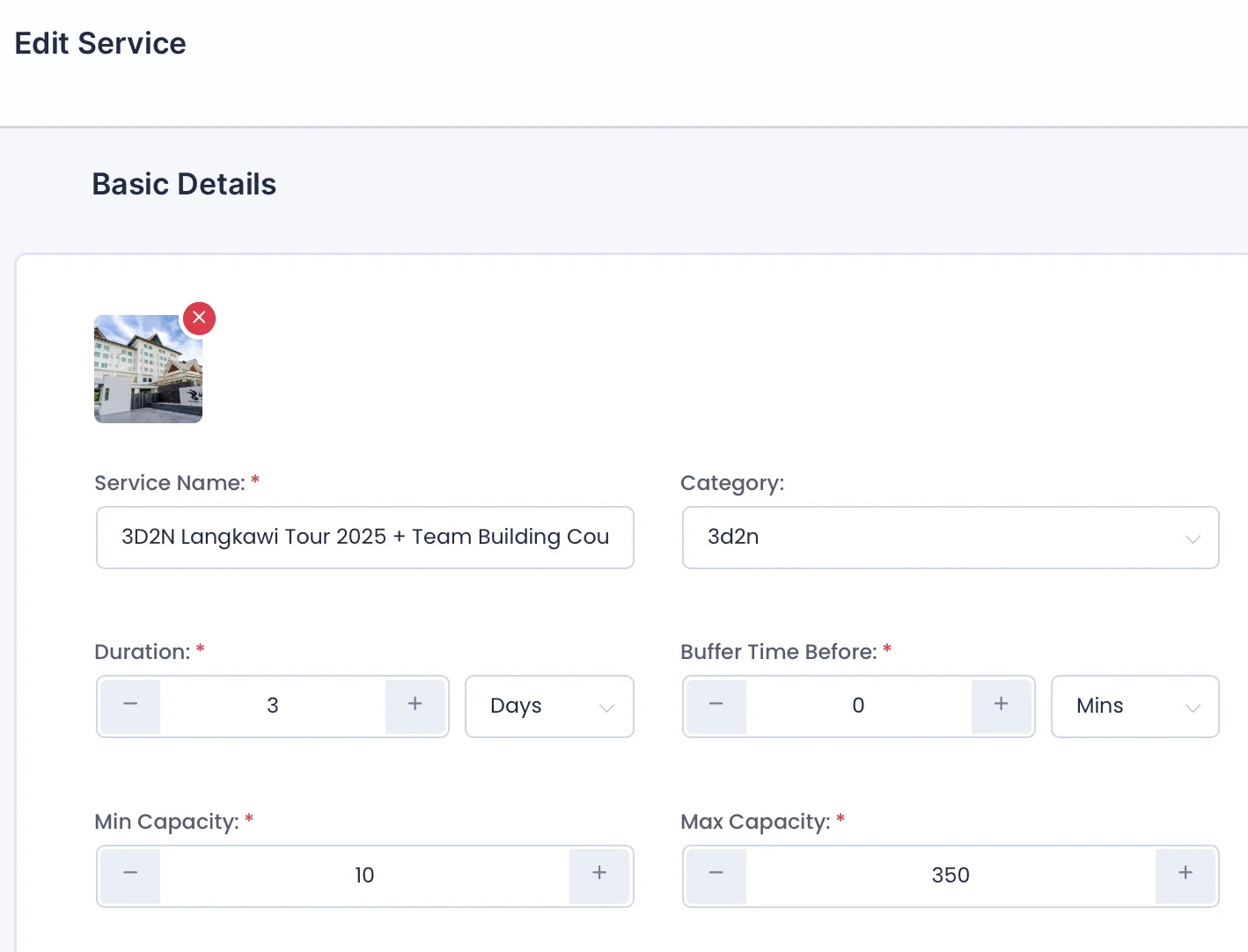
We configured participant limits for each program to ensure proper group sizing and event management. BookingPress allows us to set both:

  • Maximum capacity (e.g., up to 350 participants)
  • Minimum booking requirement (e.g., at least 10 people per booking)

During the booking process, companies can select the number of participants they plan to bring. The system dynamically checks availability and prevents overbooking based on the set capacity rules.

Example: If a company books for 20 employees, the system ensures that slot availability supports that number before confirming the booking.
4. Payment: Deposit or Full Payment Options

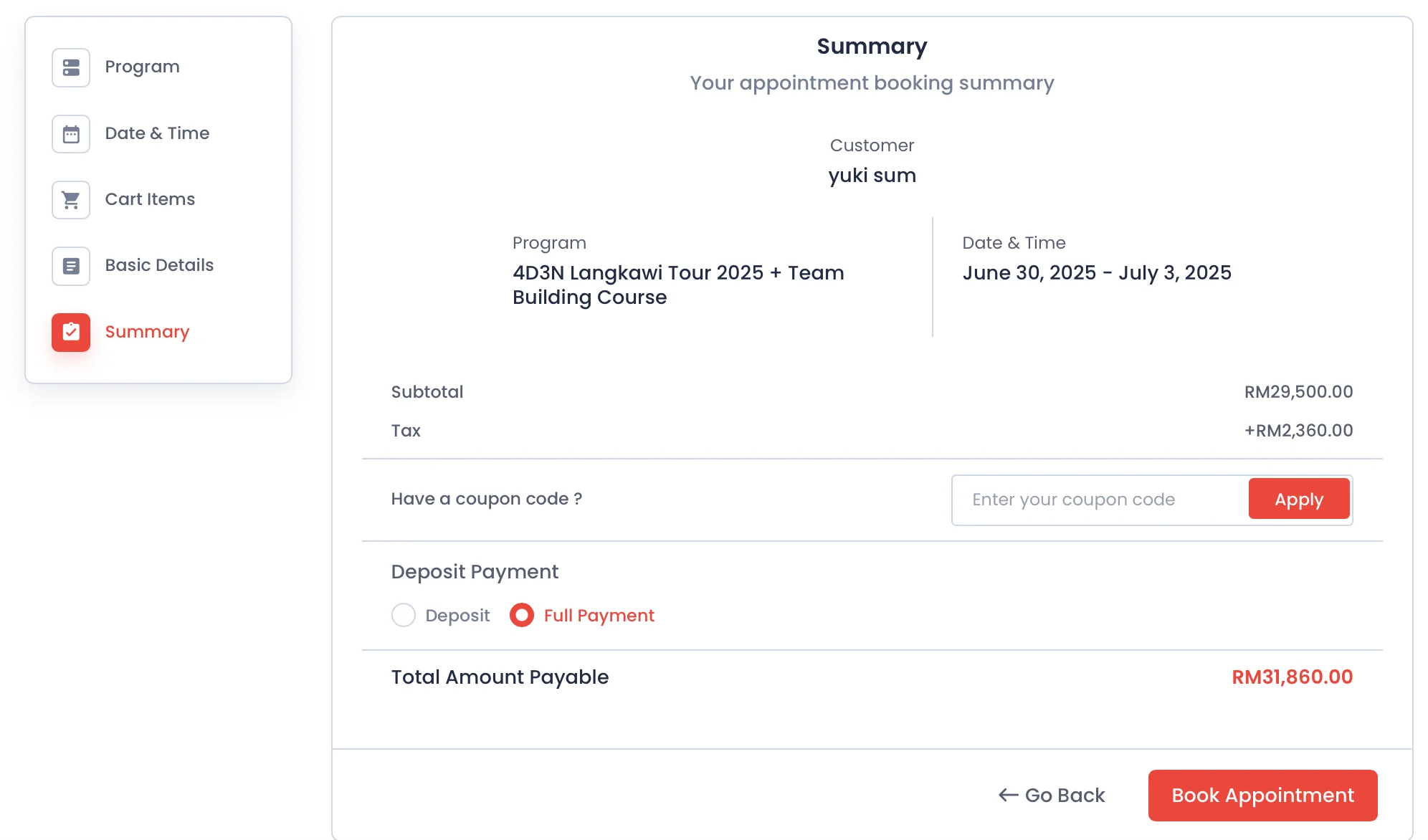
Customers can choose to:

  • Pay the full amount upfront
  • Or pay a deposit (e.g., 10% of the total price)

We integrated this flexibility using WooCommerce product options + BookingPress settings, giving clients better control over their budget while ensuring commitment.
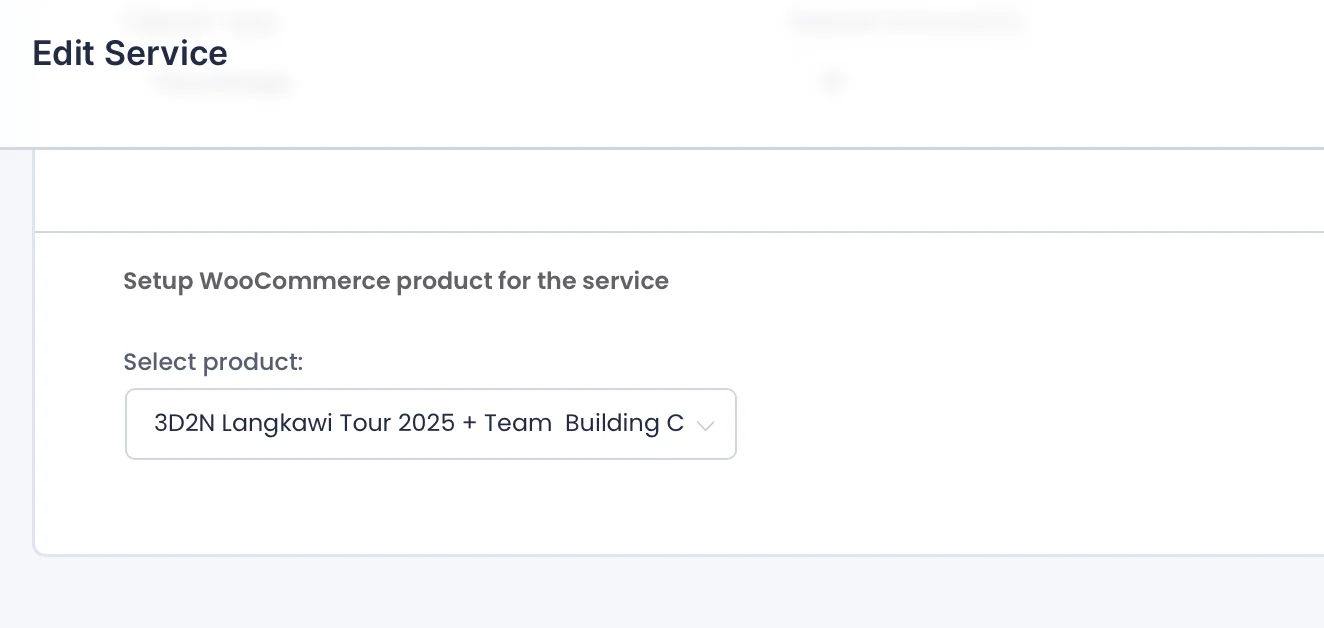
5. WooCommerce Product Sync for Seamless Payment Handling

To streamline payments, each booking is tied to a WooCommerce product, and payment is processed securely through Stripe (via WooCommerce). This setup allows customers to easily pay using methods like FPX or credit/debit cards, with all transactions handled through the familiar WooCommerce checkout.

Here's how the system works:

  • BookingPress handles the appointment logic — including service details, duration, group size, and add-ons.
  • WooCommerce handles the actual payment transaction — ensuring security, compatibility with Stripe, and backend tracking of payment status.
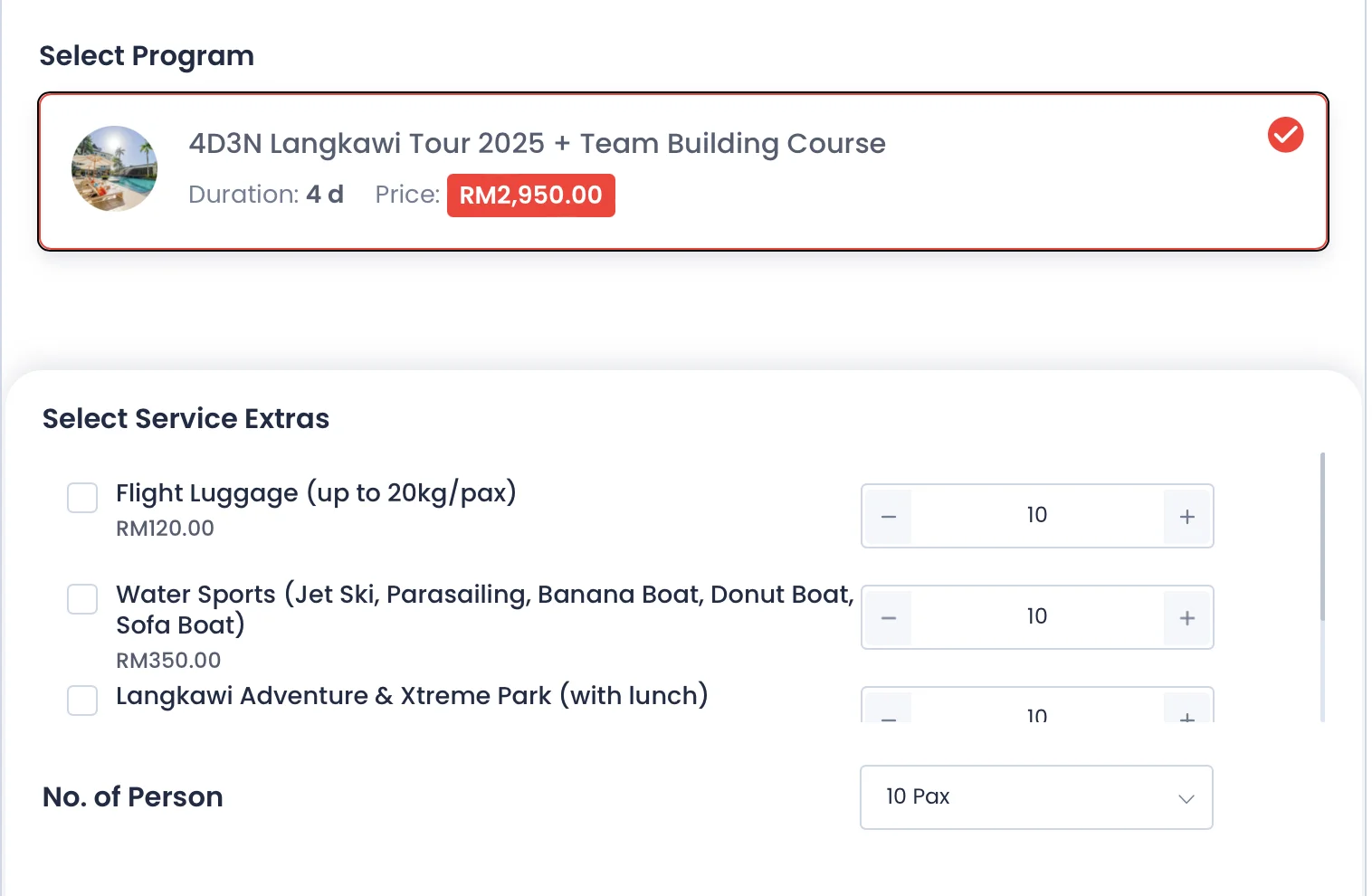
6. Extra Services with Add-on Pricing

Customers can enhance their experience by selecting optional add-ons:

  • Flight Luggage – RM120
  • Water Sports – RM350

These are implemented as checkboxes on the booking form, with real-time total price updates before payment.
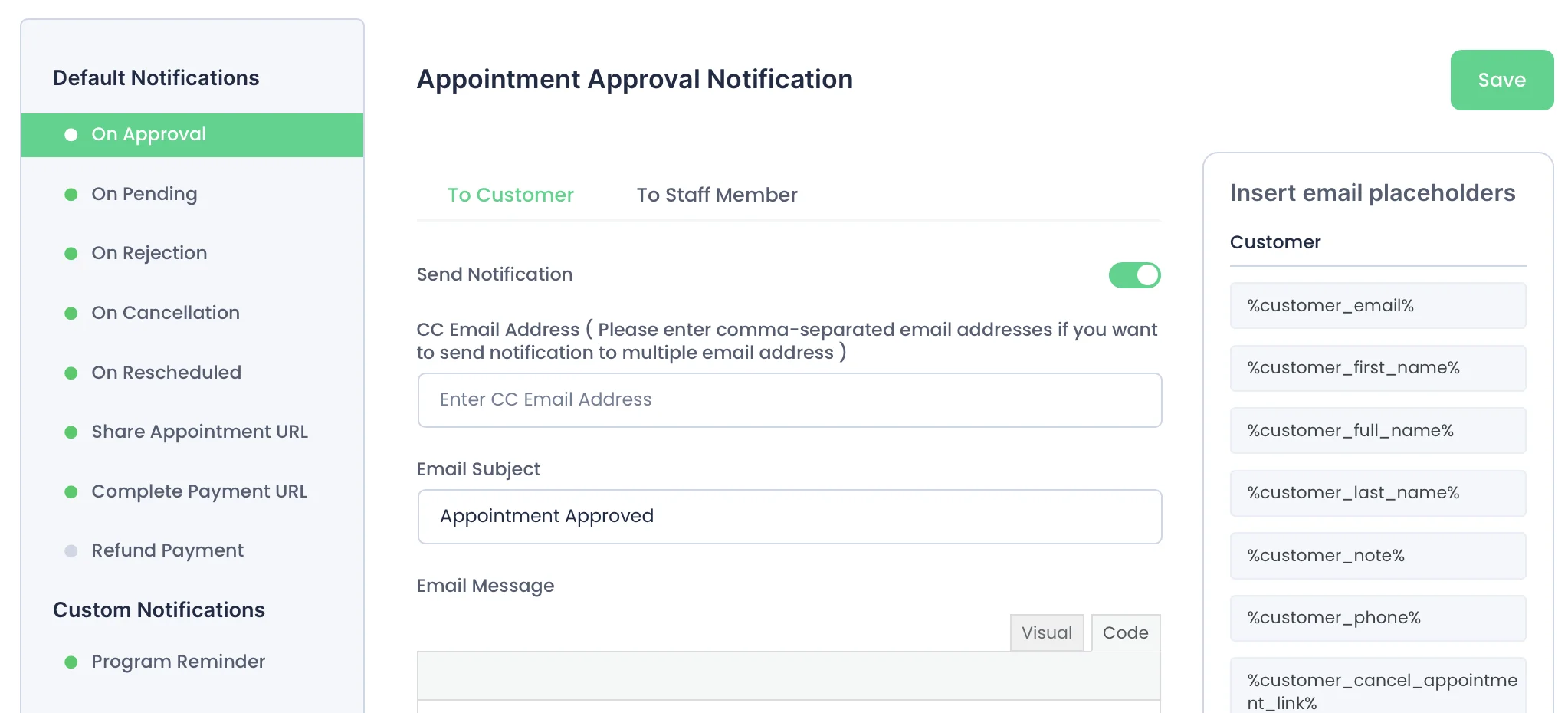
7. Email Notification with Custom Timing

We configured a series of automated email notifications to keep both customers and admins informed throughout the booking process. These notifications include:

  • Booking Confirmation – sent immediately after a booking is submitted
  • Approval Notification – triggered once an admin updates the booking status to “Approved”
  • Reschedule Notification – sent if the booking date/time is changed
  • Reminder Email – sent 72 hours before the event (this is the only email with customizable timing)

The content and structure of each email are fully editable. Using dynamic placeholders such as {customer_name}, {appointment_date}, and {service_name}, we ensure each message is personalized for the recipient.

This email automation helps reduce no-shows, improves communication, and delivers a professional booking experience from start to finish.
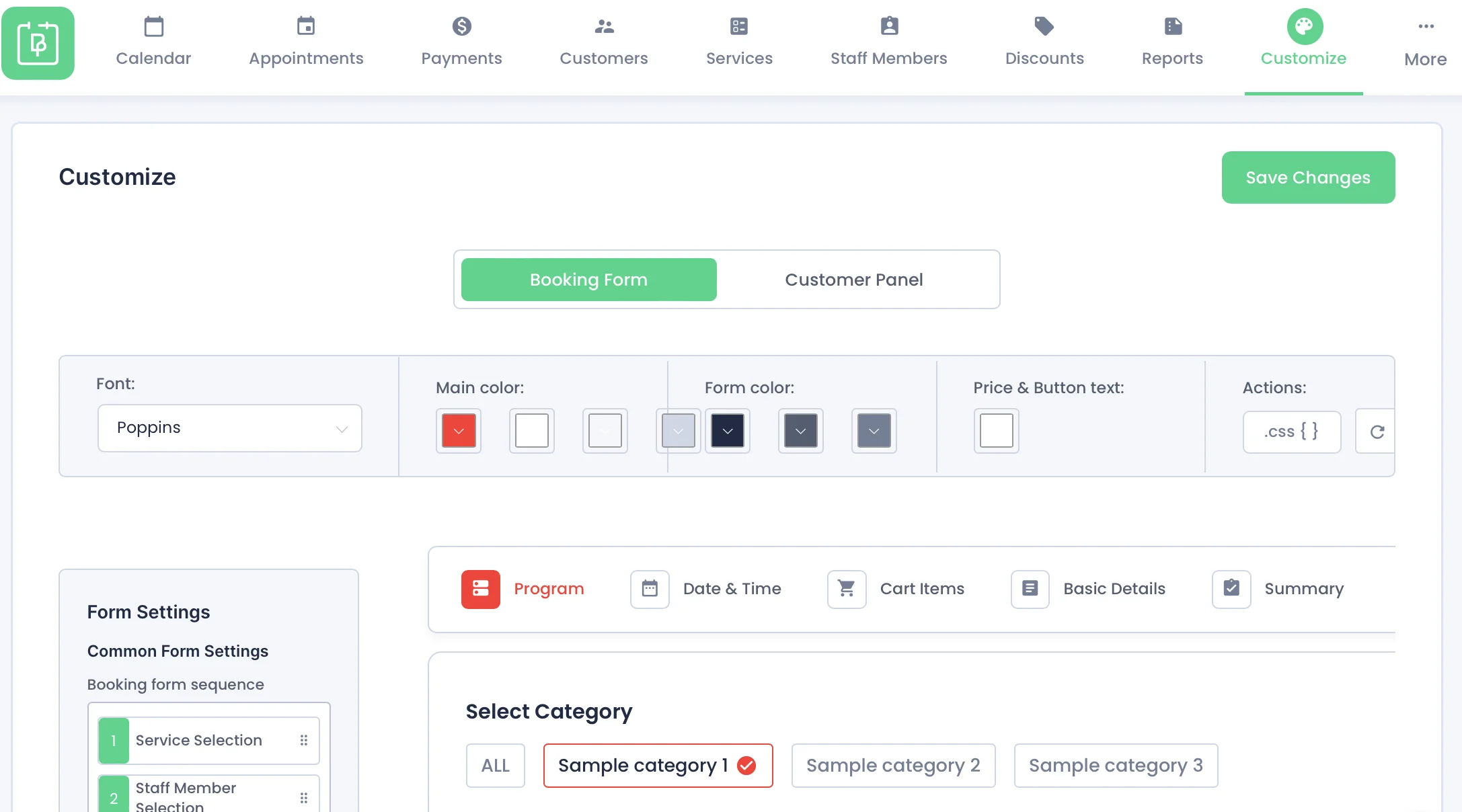
8. Customized Booking Form Layout

While the overall layout structure of the form is fixed, we customized the visual presentation to align with the website’s branding. Key adjustments included:

  • Form field labels – edited to suit the service context
  • Main font and color scheme – matched to the site's design
  • Custom CSS overrides – applied for finer styling control (e.g., calendar day text color)

These enhancements ensure that the booking form visually integrates with the rest of the website, creating a consistent and professional user experience.
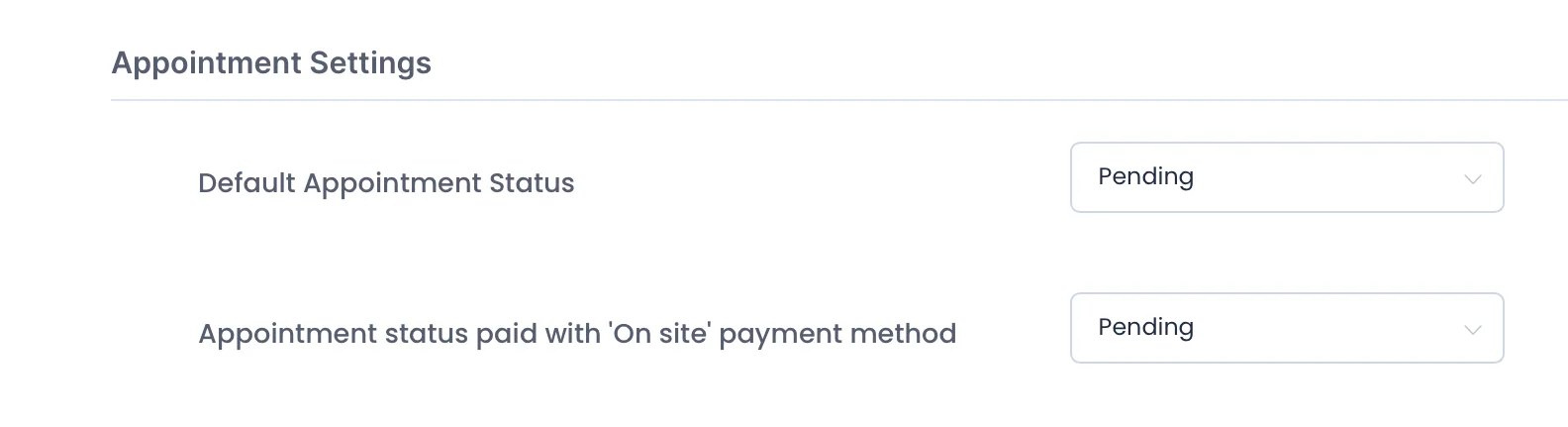
9. Default Status: Pending → Admin Approval Flow

To prevent double bookings and allow team review, all bookings are set to:

  • Default status: Pending
  • Admins then review and change the status to Approved

Admins receive an email alert when a new booking is made, and once reviewed, they update the status from the backend. The customer then receives an Approval Confirmation email automatically.
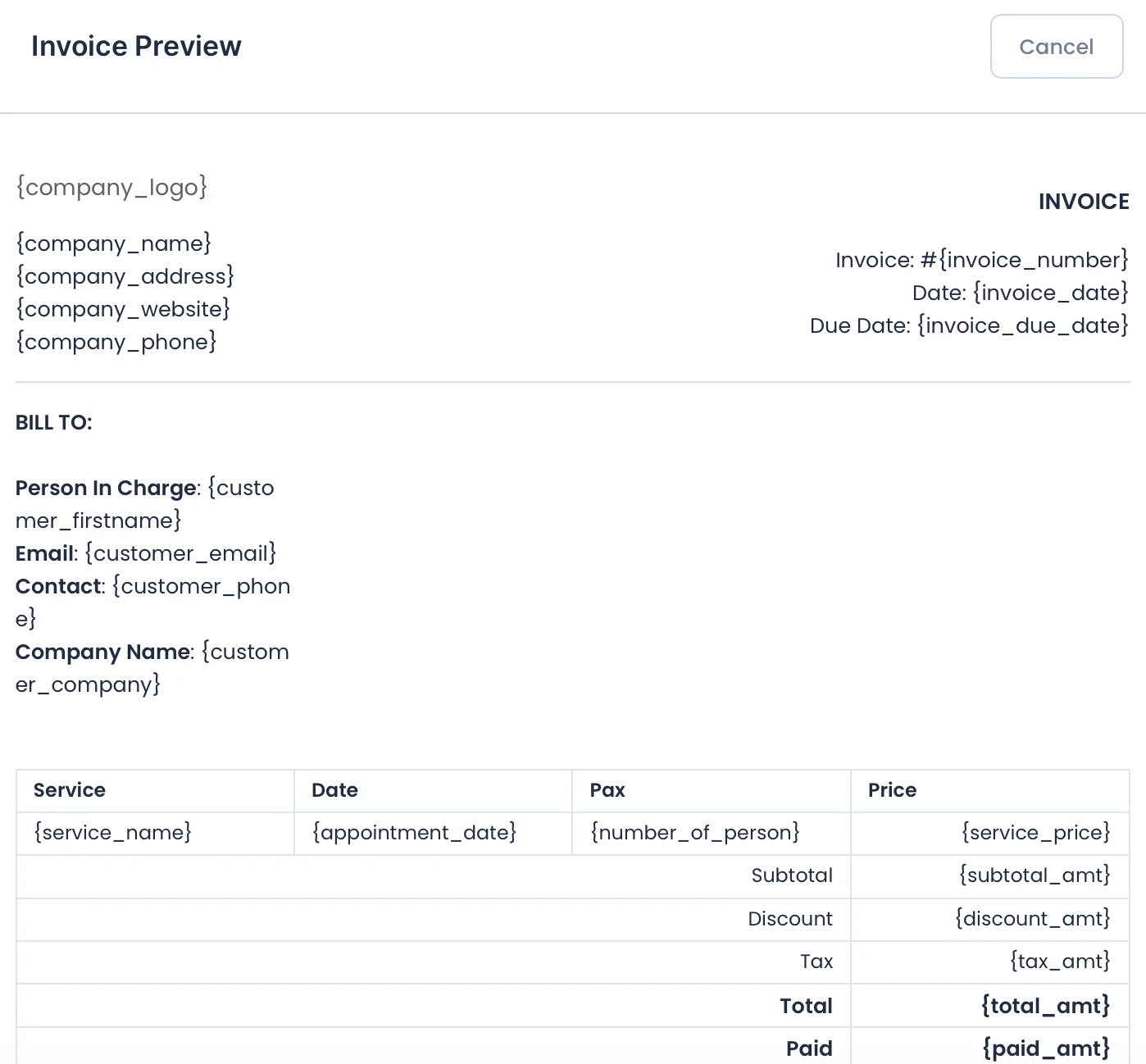
10. BookingPress Invoice Customization

We customized the invoice layout to better reflect our booking details and branding. This includes:

  • Adjusting the layout to match our preferred structure
  • Adding custom fields such as selected add-ons and participant details
  • Automatically sending the invoice as a PDF attachment in the customer’s email notification upon successful payment

This ensures that customers receive a clear and professional invoice with all relevant information, directly in their inbox.

BookingPress vs Amelia: Which One Fits Better?

Area

BookingPress

Amelia

Modular System

✅ Add only features you need (via add-ons)

❌ All features bundled — pay full price

WooCommerce Sync

✅ Built-in & customizable

✅ Available in Pro, less flexible

Payment Gateways

✅ Uses WooCommerce = supports FPX, Stripe, etc.

⚠️ Stripe only, WooCommerce limited

Form Customization

✅ Easily adjusted with add-ons

⚠️ Limited visual control

Cost Efficiency

✅ Start free, add paid features gradually

❌ Must upgrade to Pro for most features

Invoice & Emails

✅ Uses Woo + add-ons = more customizable

⚠️ Basic templates only

Why We Chose BookingPress + Add-ons

For this project, BookingPress was the better fit because:

  • It gives us more flexibility to build around different programs/services
  • We needed WooCommerce + Stripe/FPX support
  • The free version already includes core features — great value
  • Add-ons can be added only when needed — cost-efficient and scalable

Get Started with BookingPress Today

Don’t let outdated booking methods slow down your business. With the BookingPress WordPress plugin, you can automate your appointments, improve customer satisfaction, and grow your business — all from your WordPress dashboard.

At Latitude Innovation, we’re WordPress specialists who can:
– Build your website professionally
– Set up and configure BookingPress based on your services
– Ensure the system works smoothly for you and your customers

Whether you’re running a salon, clinic, tuition center, or consultation business — we can help you go digital with ease.

Try BookingPress here.

Contact us to get started today!

Scroll to Top