Warning: Astra_Ext_Nav_Menu_Loader::load_gutenberg_addon_scripts(): The script tried to access a property on an incomplete object. Please ensure that the class definition "WPML_LS_Menu_Item" of the object you are trying to operate on was loaded _before_ unserialize() gets called or provide an autoloader to load the class definition in /home/liinovtion/domains/latitudeinnovation.com.my/public_html/wp-content/plugins/astra-addon/addons/nav-menu/classes/class-astra-ext-nav-menu-loader.php on line 164

Warning: Astra_Ext_Nav_Menu_Loader::load_gutenberg_addon_scripts(): The script tried to access a property on an incomplete object. Please ensure that the class definition "WPML_LS_Menu_Item" of the object you are trying to operate on was loaded _before_ unserialize() gets called or provide an autoloader to load the class definition in /home/liinovtion/domains/latitudeinnovation.com.my/public_html/wp-content/plugins/astra-addon/addons/nav-menu/classes/class-astra-ext-nav-menu-loader.php on line 164

Warning: Astra_Ext_Nav_Menu_Loader::load_scripts(): The script tried to access a property on an incomplete object. Please ensure that the class definition "WPML_LS_Menu_Item" of the object you are trying to operate on was loaded _before_ unserialize() gets called or provide an autoloader to load the class definition in /home/liinovtion/domains/latitudeinnovation.com.my/public_html/wp-content/plugins/astra-addon/addons/nav-menu/classes/class-astra-ext-nav-menu-loader.php on line 134

Warning: Astra_Ext_Nav_Menu_Loader::load_scripts(): The script tried to access a property on an incomplete object. Please ensure that the class definition "WPML_LS_Menu_Item" of the object you are trying to operate on was loaded _before_ unserialize() gets called or provide an autoloader to load the class definition in /home/liinovtion/domains/latitudeinnovation.com.my/public_html/wp-content/plugins/astra-addon/addons/nav-menu/classes/class-astra-ext-nav-menu-loader.php on line 134

Deprecated: ElementorPro\Modules\Notes\Database\Models\Note::query(): Implicitly marking parameter $connection as nullable is deprecated, the explicit nullable type must be used instead in /home/liinovtion/domains/latitudeinnovation.com.my/public_html/wp-content/plugins/elementor-pro/modules/notes/database/models/note.php on line 252

Deprecated: ElementorPro\Core\Database\Model_Base::query(): Implicitly marking parameter $connection as nullable is deprecated, the explicit nullable type must be used instead in /home/liinovtion/domains/latitudeinnovation.com.my/public_html/wp-content/plugins/elementor-pro/core/database/model-base.php on line 66
How To Load Custom Font By Using Child Theme | Latitude Innovation

Facing The Problem Of Custom Font Does Not Show At The Website?

The solution to tackle this kind of problem can using child theme as Elementor is a popular page builder that works with a wide range of WordPress themes. However, some themes may not have built-in support for custom fonts or may require additional customization to use them. By loading custom fonts through a child theme, you have more control over the font selection and can ensure compatibility with Elementor.

How To Load Custom Font By Using Child Theme

Below Are The Following Steps :

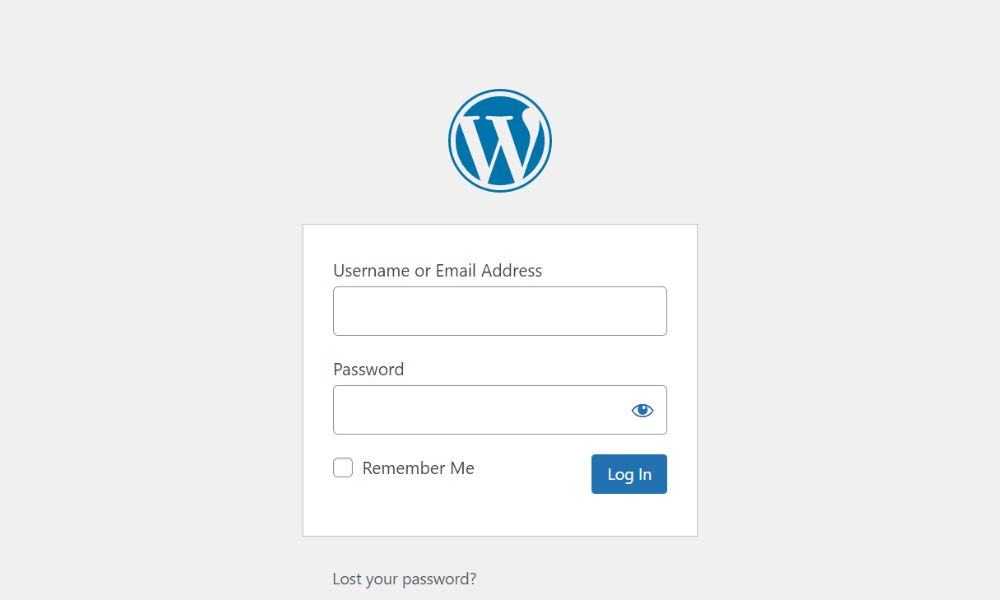
Step 1 : Login to WordPress Dashboard [https://website.com.my/wp-admin]

Step 2 : Click on “Appearance”  and then click on “Theme File Editor”

Step 3 : Insert the code below then click on “Update File” button

@font-face {
          font-family: ‘Custom Font’;
          src: url(site-url/wp-content/themes/child-theme-name/fonts/cmunrm.woff);
          font-weight: ‘normal’;
}

font-family :Put your custom font
                         Eg : font-family: ‘Sans Serif’;

src : Put your site url together with child theme name
         Eg : [src: url(https://demo.com/wp-content/themes/demo-child/fonts/cmunrm.woff);]

font-weight : Put your design font weight
                        Eg : font-weight: ‘normal’;
Scroll to Top