
Understanding of WooCommerce Settings
1.0 Introduction
WooCommerce is a plugin that converts a WordPress website into an online store. It provides several settings that control store operations, product management, payment processing, and customer experience. Each tab section has a specific role to ensure the store functions correctly.
2.0 General Settings
The general settings define the basic structure of the store. These include store address, selling location, shipping location, and currency.
For example, if the store location is set to Malaysia, the system will use MYR currency and limit selling to selected regions. This helps ensure correct pricing and avoids errors during checkout.
3.0 Product Management
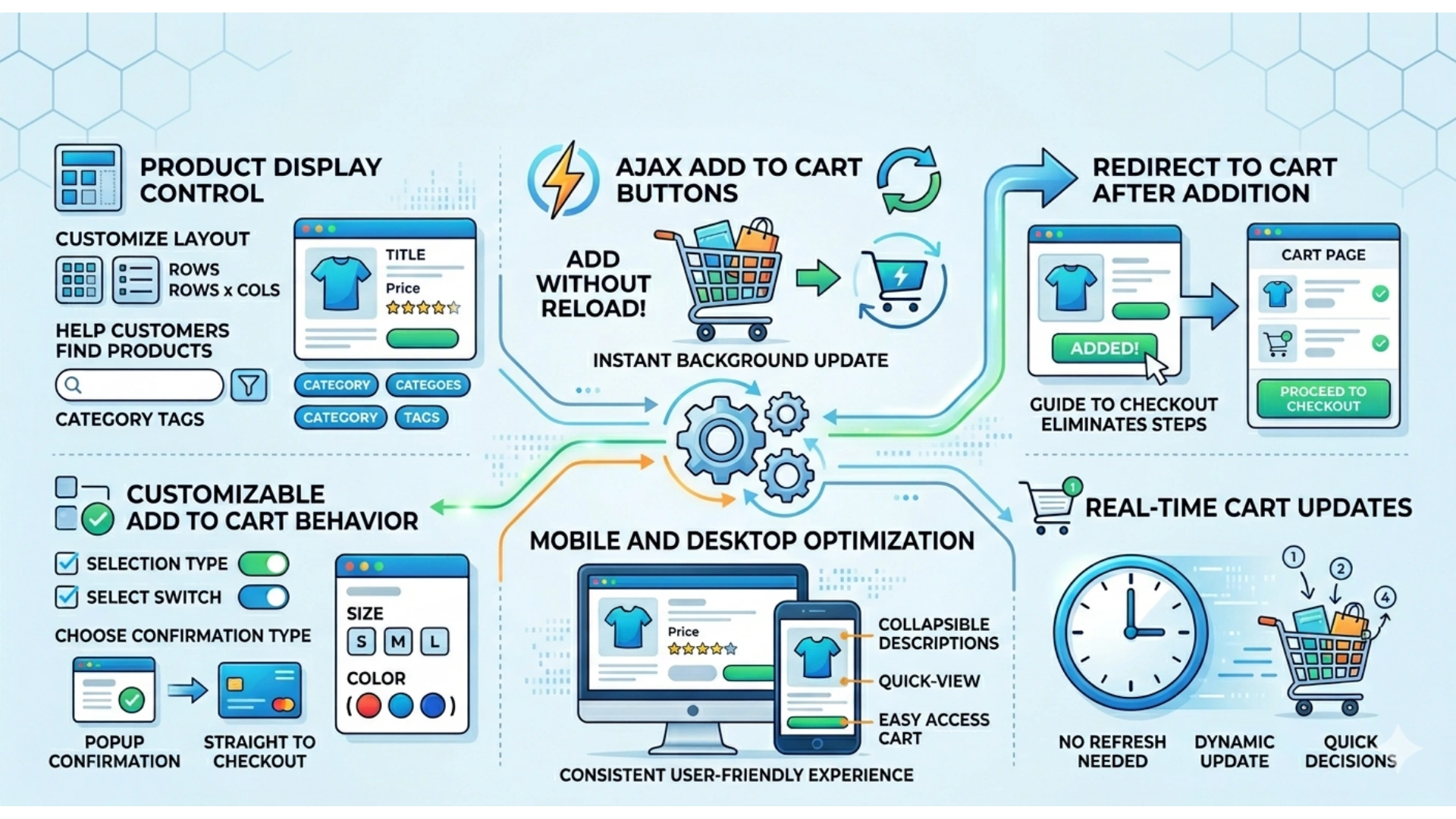
Product management controls how items are displayed and accessed in the store, including the shop page and product listing.
For example, enabling “AJAX add to cart buttons” allows customers to add products directly from the shop page without reloading the page. The “Redirect to cart page after successful addition” option will bring customers to the cart page after adding a product. These features help make the shopping process faster and smoother.
4.0 Inventory Management
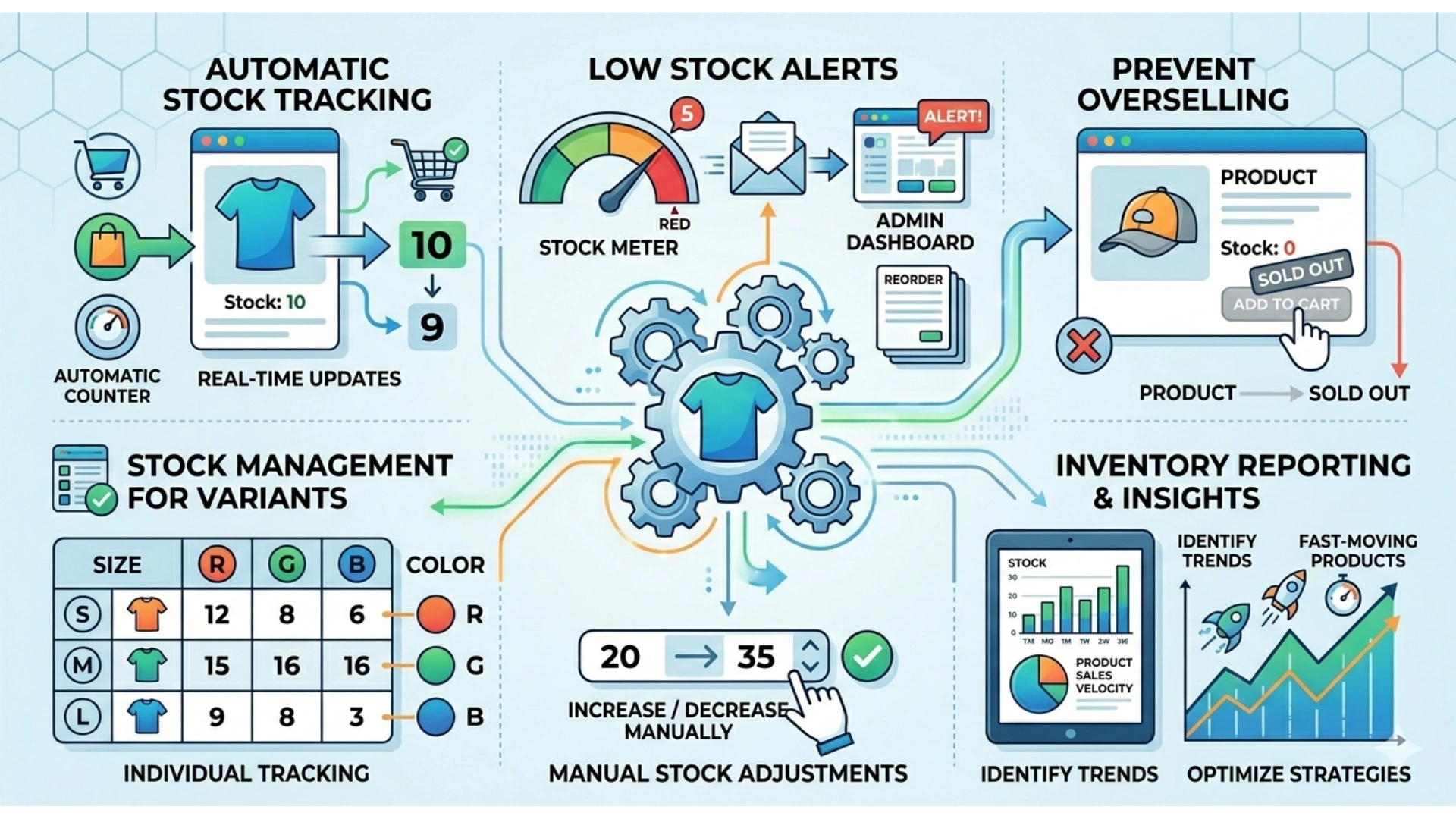
Inventory settings manage product stock. When enabled, the system tracks product quantity automatically.
For example, if a product has 10 units and a customer purchases 1, the stock will reduce automatically. The system can also send low stock alerts to the admin. This helps prevent overselling and improves stock control.
5.0 Shipping Configuration
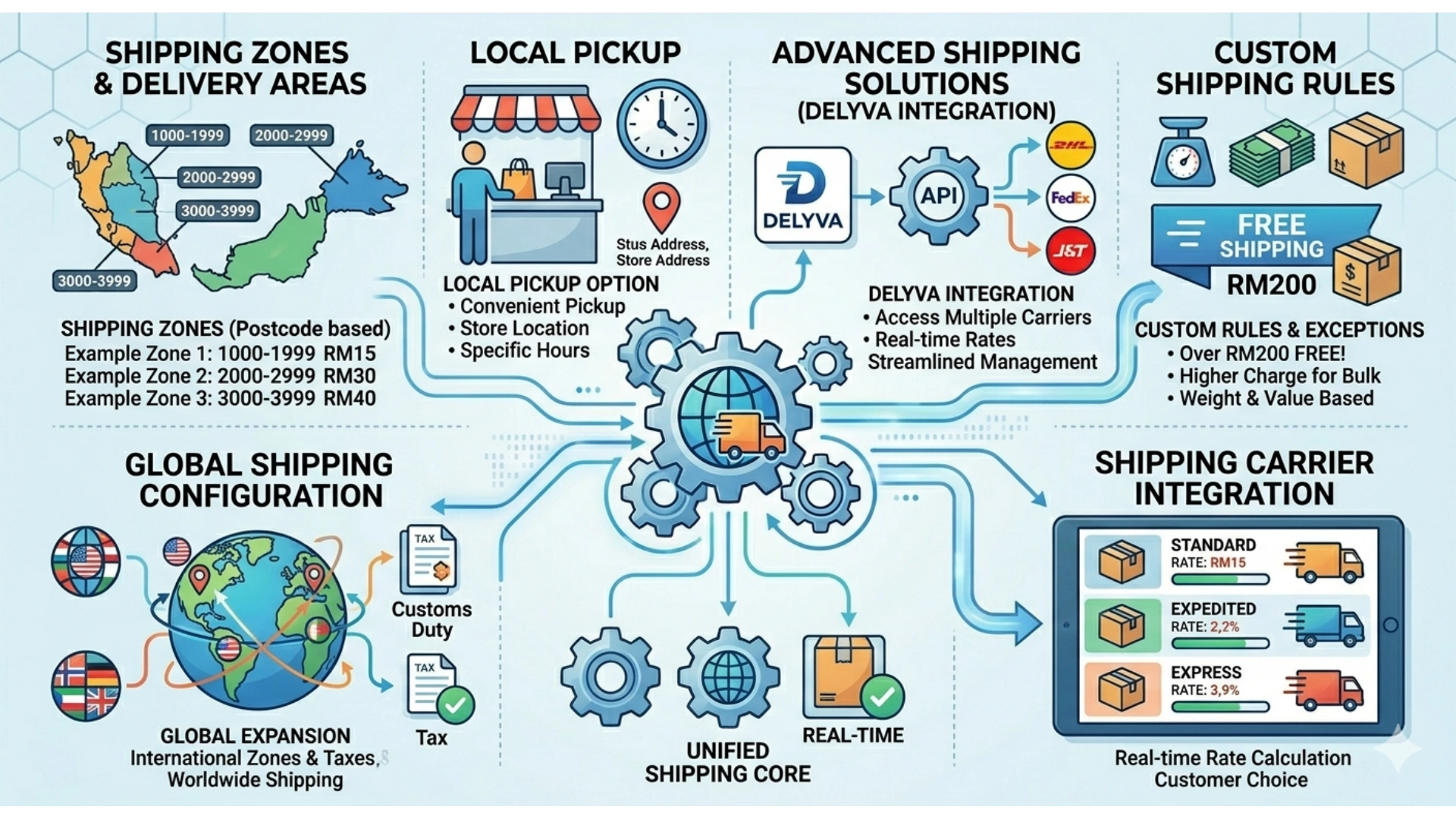
Shipping settings control delivery areas and shipping charges. The system allows different shipping zones based on location.
For example, the client uses a list of postcodes to set the delivery price, where each group of postcodes is assigned different delivery charges such as RM15, RM30, and RM40.
Shipping configuration also provides local pickup, where customers can collect their orders directly from the store instead of choosing delivery.
To explore advanced shipping solutions, you can integrate with Delyva for improved delivery management and services
6.0 Payment Settings
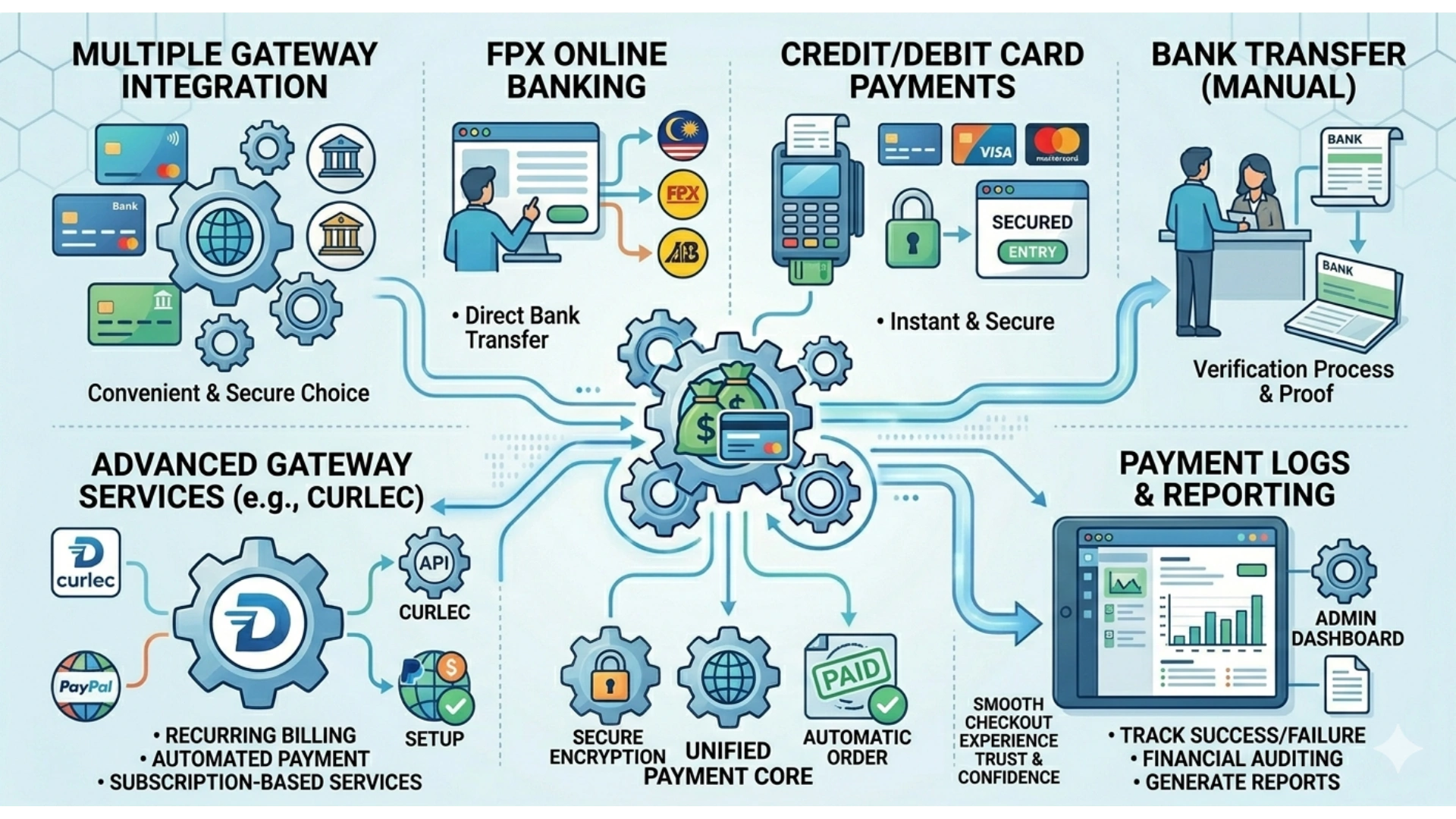
Payment settings allow the store to receive online payments through different payment gateways. WooCommerce supports multiple options such as FPX online banking, credit/debit card payments, bank transfer, and payment gateway services like Curlec.
For example, during checkout, customers can choose FPX to pay directly using their online banking, or select card payment to complete their purchase using Visa or Mastercard. Some customers may also choose bank transfer as a manual payment method.
A proper payment setup ensures that transactions are secure, and orders are processed successfully without errors or payment failure. This helps provide a smooth checkout experience for customers. To learn more about how payment gateways work and the available options today, visit our detailed guide on Payment Gateways.
7.0 Accounts and Privacy
This section controls customer account options and data privacy. The store can allow guest checkout or require account registration.
For example, guest checkout allows customers to buy faster without creating an account. However, registered accounts allow customers to track order history and manage their details. Privacy settings also inform users how their data is collected and used.
8.0 Email Notifications
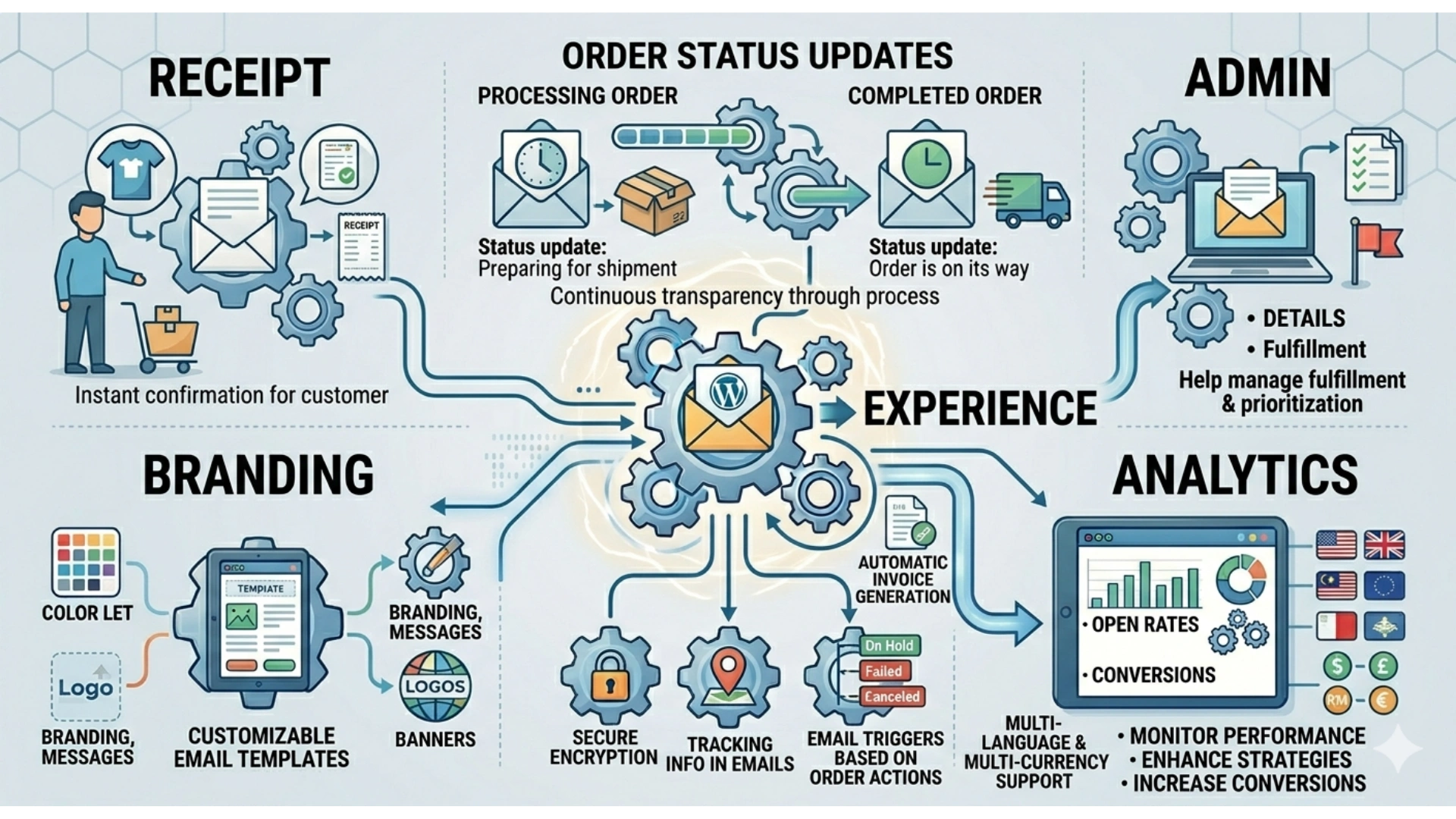
WooCommerce includes an email system for order updates such as new order, processing, and completed order.
For example, when a customer places an order, they will receive a confirmation email. When the order status changes to “Completed,” another email will be sent. Admin users also receive notifications for new orders. This improves communication and keeps both sides updated.
9.0 Store Visibility and Information
Store visibility controls whether the shop is public or hidden.
For example, when development is still ongoing, the store can be set as “incoming” or hidden from customers. Once ready, the shop can be set to live so customers can start buying products.
Store information includes business name, contact details, and policies. Clear information helps build customer trust.
10.0 Conclusion
WooCommerce settings control all main functions of an online store. Each section supports different parts of the system, including products, payments, shipping, and customer management.
11.0 Ready to Elevate Your Website ?
Understanding these settings helps create a reliable and user-friendly online store.
A good WooCommrce setup helps your store run smoothly and grow faster.
Contact us today to start your WooCommerce website!
WhatsApp Us: https://wa.me/60104348799/
Our Services: https://latitudeinnovation.com.my/web-design-service