WordPress Form Plugins vs Custom Code: Full Explanation, Pros & Cons, and Implementation Guide
1. Introduction
Forms are one of the most important elements of any website. Whether you’re collecting contact inquiries, registrations, feedback, or leads, forms act as the bridge between your visitors and your business.
In WordPress, there are two main methods to create forms:
- Building forms using custom code
- Using WordPress form plugins
Choosing the right method can impact your website’s performance, flexibility, security, and user experience. In this guide, we’ll break down both methods in detail, starting with the foundational approach which is custom code.
2. Method 1: Custom Code
What is Custom Code Form Development?
Creating a form using custom code means building everything from scratch using HTML for structure, CSS for styling, JavaScript for validation, and PHP for backend processing.
Instead of relying on external tools, you fully control how the form looks, behaves, and processes data. This method is commonly used by developers who need high customization, better performance, or unique functionality that plugins cannot easily provide.
When Should You Use Custom Code?
When you need a fully customized form workflow, or you want to optimize performance (no plugin bloat) or you are building a custom system and web app or you have coding knowledge and a development team. (Best suited for: Developers or advanced users)
Requires knowledge of multiple languages (HTML, CSS, JS, PHP)
- Needs understanding of security (sanitization, validation, spam protection)
- Debugging and maintenance can be complex
Forms Creation With Coding
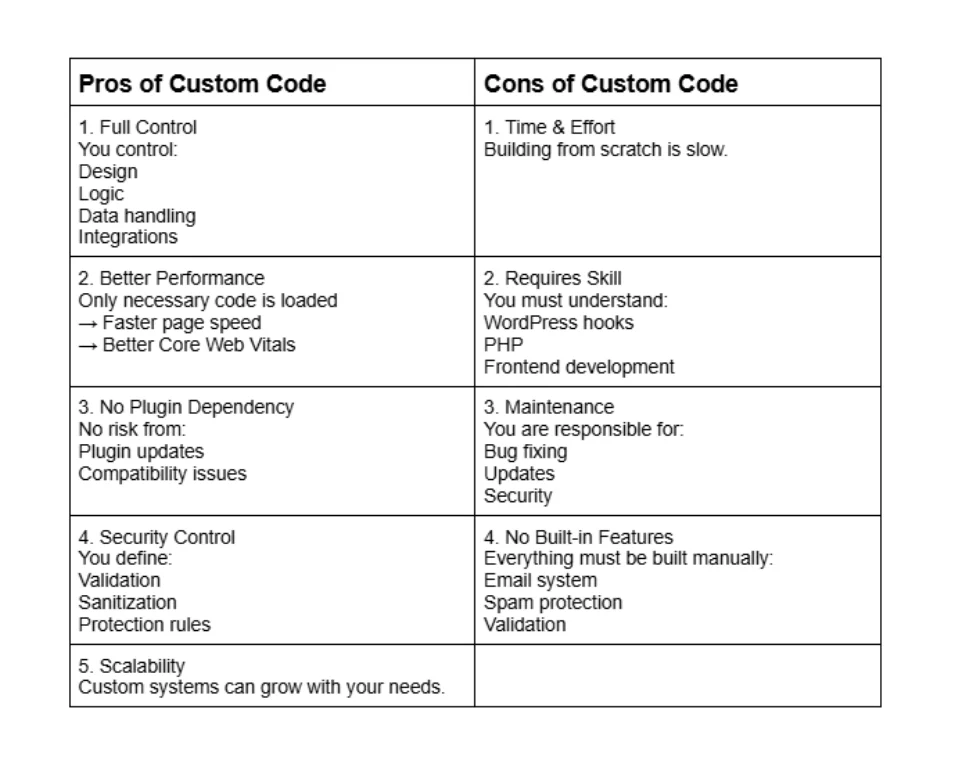
Creating forms using pure coding in WordPress. This involves using HTML for the form structure, CSS for styling, JavaScript for interactivity, and PHP to handle form submission and data processing within WordPress. The biggest advantage of this approach is full control. You can build exactly what you need without any unnecessary features, which improves performance and reduces plugin dependency. It’s also more secure when done properly, since you control validation and sanitization directly.
However, pure coding comes with its own challenges. It requires solid knowledge of WordPress development, including hooks, AJAX handling, and security practices like nonce verification. It also takes more time to build and maintain, especially if the form needs features like file uploads, spam protection, or integrations with third-party services. For beginners, this approach can be overwhelming and prone to errors.
Instead of relying on plugins, you build everything manually using:
HTML → structure
CSS → design
JavaScript → interactivity
PHP → backend processing (WordPress)
3. Method 2: WordPress Form Plugins
What are WordPress Form Plugins?
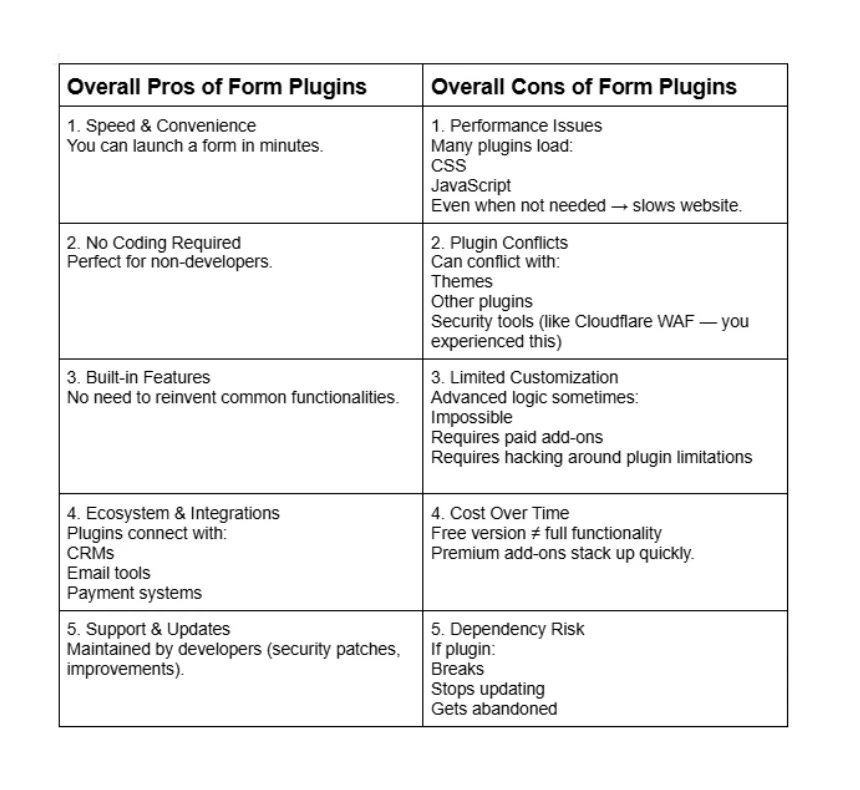
WordPress form plugins are tools that allow you to create forms using a visual interface, often with drag-and-drop features. Instead of coding, you configure fields, settings, and behaviors directly from the dashboard.
These plugins handle technical aspects like validation, email sending, spam protection, and database storage, making them ideal for beginners and business owners.
When Should You Use Plugins?
When you want a fast and easy setup or you don’t have coding experience or you need standard forms (contact, registration, etc.) or you prefer ready-made templates.
Popular WordPress Form Plugins
1.WPForms
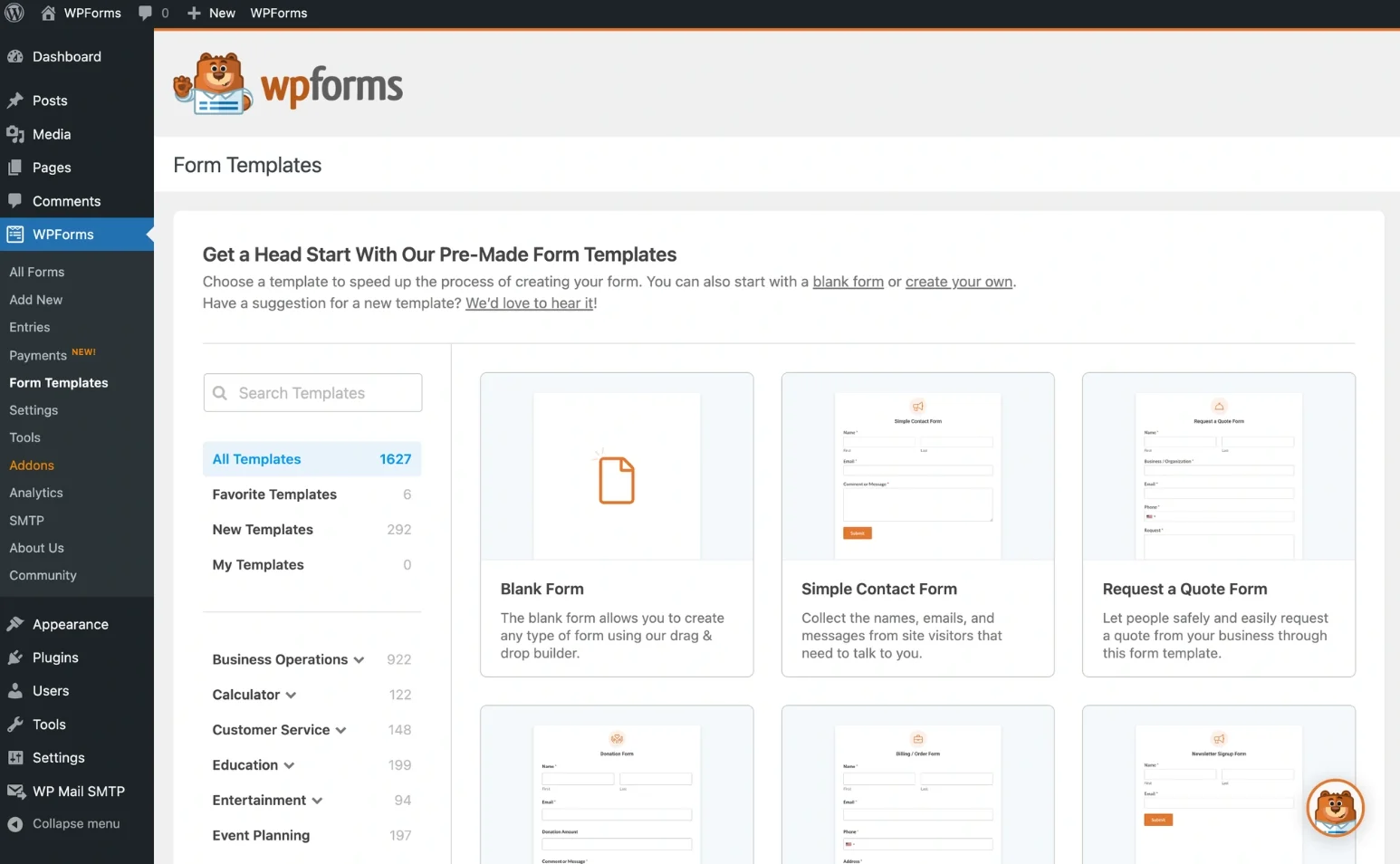
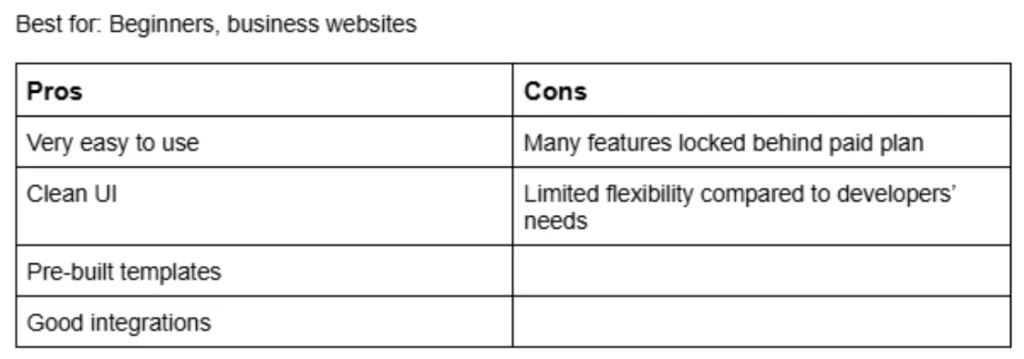
Starting with plugins, one of the most widely used is WPForms. It’s known for its drag-and-drop builder, making it very easy for beginners to create contact forms, surveys, and even payment forms without writing a single line of code. The main advantage of WPForms is its simplicity and smooth user experience. You can build forms quickly, integrate with email services, and manage entries directly from the dashboard. However, many advanced features such as conditional logic, payment gateways, and marketing integrations are locked behind the premium version, which can be limiting if you’re trying to scale without spending.
2.Fluent Forms
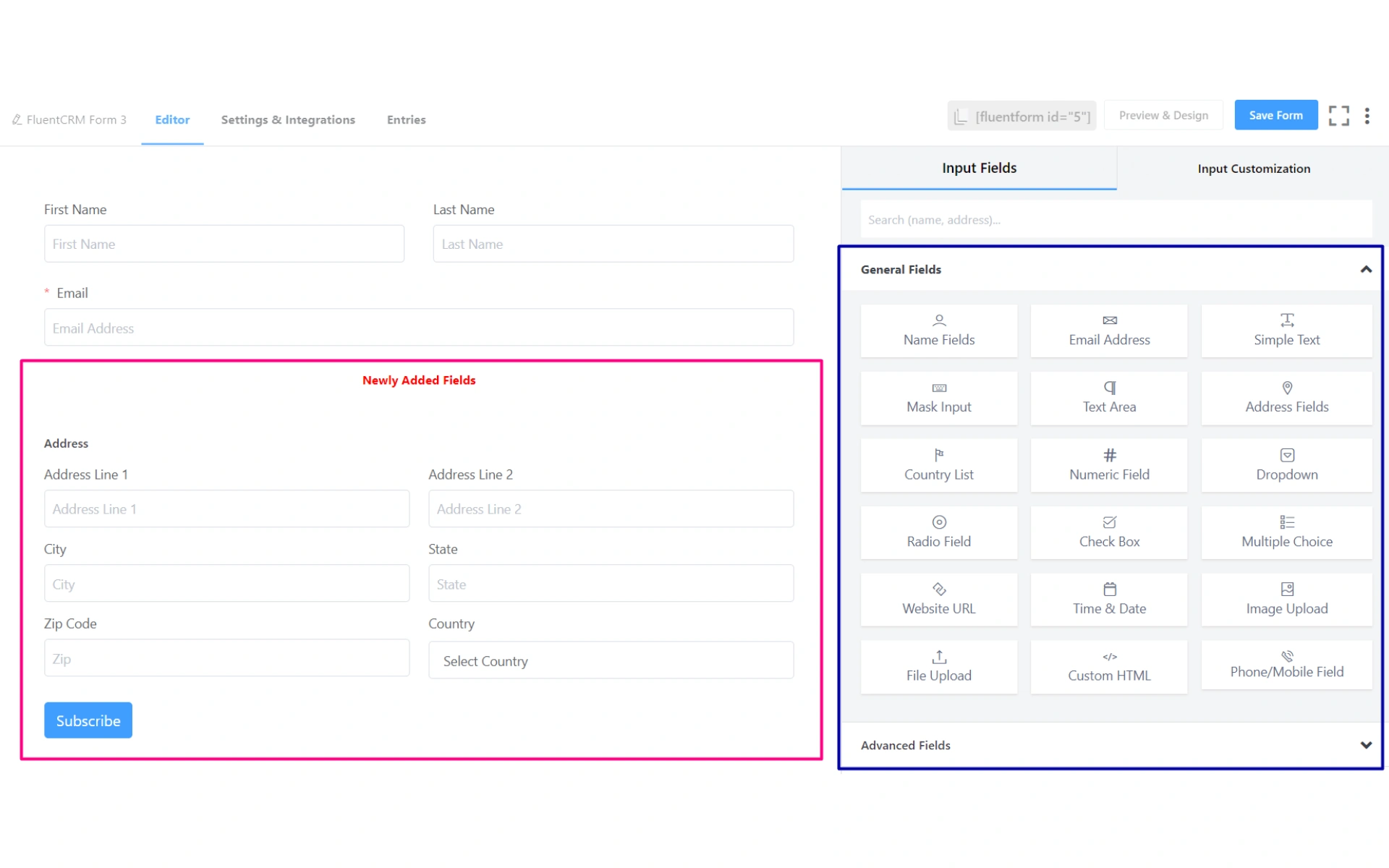
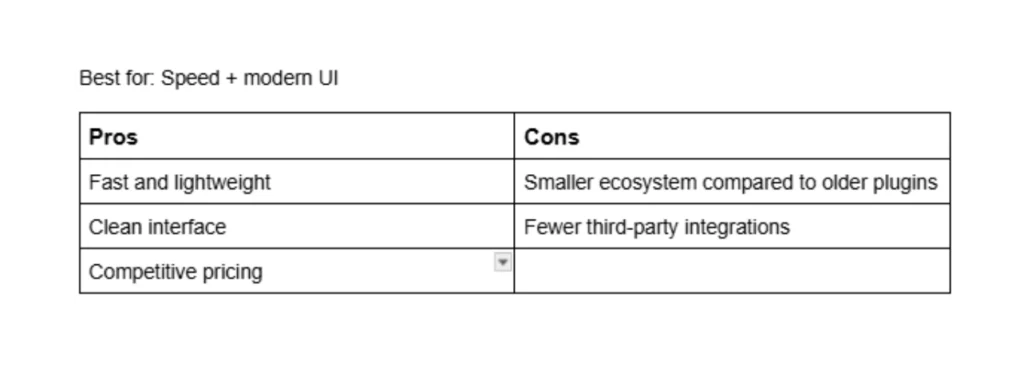
Fluent Forms is another modern alternative that balances performance and usability. It provides a clean UI, fast loading speed, and a decent free version with useful features. It’s often appreciated for being lightweight compared to heavier plugins. The downside is that while it’s growing, its ecosystem and community are not as large as older plugins, which may limit support resources and third-party integrations.
3.Contact Form 7

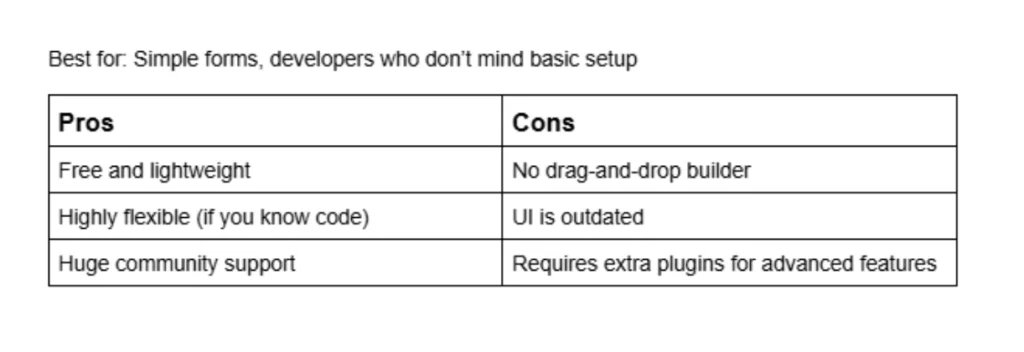
Another popular option is Contact Form 7, which has been around for a long time and is completely free. It offers flexibility and works well for simple contact forms. One of its biggest advantages is that it’s lightweight and highly customizable if you’re comfortable with HTML. On the downside, its interface is not very user-friendly, especially for beginners, and it lacks a visual builder. You often need additional plugins to extend its functionality, which can make management messy.
4.Gravity Forms
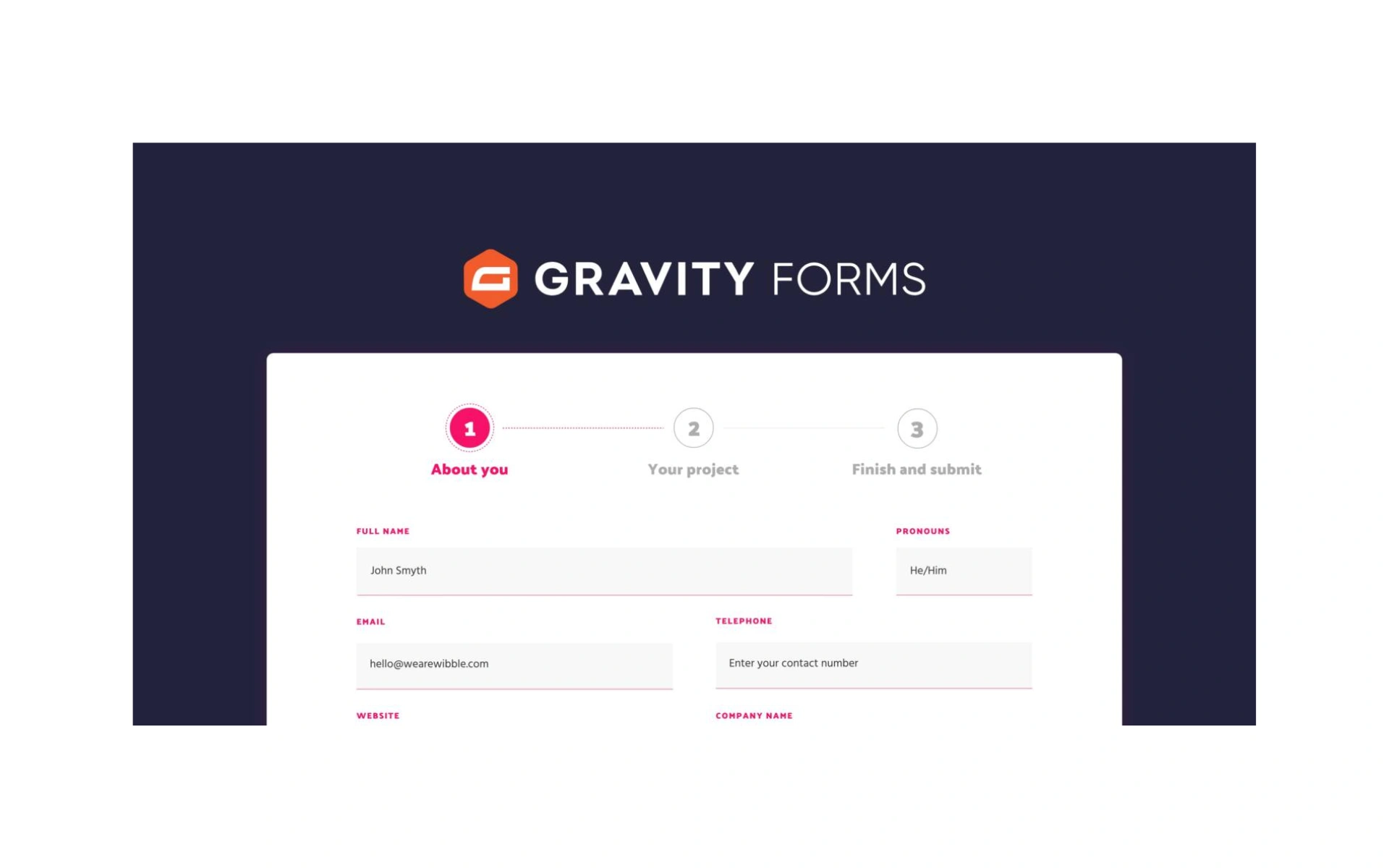
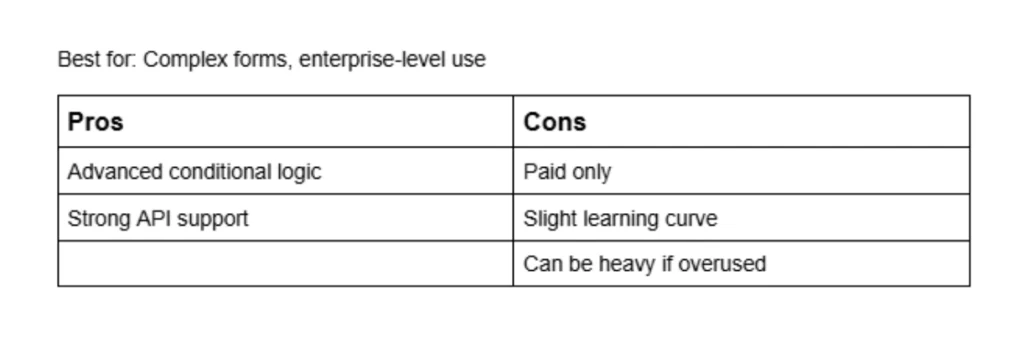
Gravity Forms, which is a more advanced premium solution. It is powerful and reliable, making it suitable for complex forms such as multi-step forms, conditional logic flows, and integrations with CRMs or payment systems. The advantage here is performance and scalability, it’s built for serious use cases. However, it comes at a cost, and for simple projects, it might feel like overkill. There is also no free version, which can be a barrier for smaller projects.